
MaxGalleria Pro & Media Library Folders Pro Now Support Automatic WebP Image Conversion!
We’re thrilled to announce a powerful new enhancement for both MaxGalleria Pro and Media Library Folders Pro—your WordPress site can now automatically convert uploaded images to WebP format!
What’s New
Both plugins now include simple settings that enable automatic WebP conversion for all new image uploads:
MaxGalleria Pro version 7.2.3: In the plugin settings, you’ll find a new option:
“Automatically convert uploaded .jpg, .jpeg, & .png images to .webp format.”
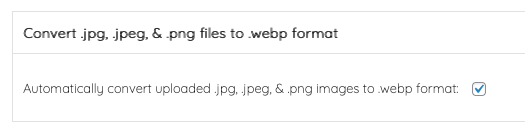
Media Library Folders Pro version 8.4.7: You can now enable: “Convert images (.jpg, .jpeg, & .png) to .webp format when uploaded.”

Once activated, any new image you upload to the WordPress Media Library will automatically be converted to .webp, ensuring that your site takes advantage of the latest image optimization technology—without extra steps or third-party tools.
Why WebP? The Modern Image Format for a Faster Web
WebP is a next-generation image format developed by Google that offers exceptional compression without compromising quality. Here’s why switching to WebP can make a big difference for your website:
1. Smaller File Sizes = Faster Load Times
WebP images are typically 25–35% smaller than equivalent JPEG or PNG files. Smaller image sizes mean your pages load faster, improving user experience and reducing bounce rates.
2. Better Performance Scores
A faster site improves your Google PageSpeed Insights and Core Web Vitals scores—critical factors for SEO ranking and visitor satisfaction.
3. Superior Image Quality
WebP uses both lossless and lossy compression, maintaining crisp visual quality even at reduced file sizes. Your galleries and media will still look stunning, but they’ll load lightning-fast.
4. Reduced Bandwidth & Storage
Smaller images save bandwidth and reduce server storage usage—particularly important for sites with large image libraries or limited hosting resources.
5. Full Browser & WordPress Compatibility
WebP is now supported across all major browsers and natively by WordPress. That means you get all the performance benefits without any compatibility headaches.
Easy Setup, Seamless Integration
Turning on this feature is effortless:
- Go to your plugin’s settings page (either MaxGalleria Pro or Media Library Folders Pro).
- Toggle the WebP Conversion option.
- Save your settings.
From that point forward, every new image you upload will be automatically optimized to the WebP format.
Pro Tip:
Already have a library full of images? This new feature applies to new uploads, but you can still convert existing images to WebP using popular WordPress optimization tools.
A Faster, Greener, More Efficient Web
With automatic WebP conversion now built into MaxGalleria Pro and Media Library Folders Pro, your WordPress site becomes faster, more efficient, and better optimized for the modern web.
We’re excited to bring this feature to you—because performance and simplicity should always go hand in hand.
You can update directly through your WordPress Dashboard under plugins. If an update is not available you’ll need to log in to your account, renew any licenses where required and then recheck for the update in WordPress.